Simple for the patient.
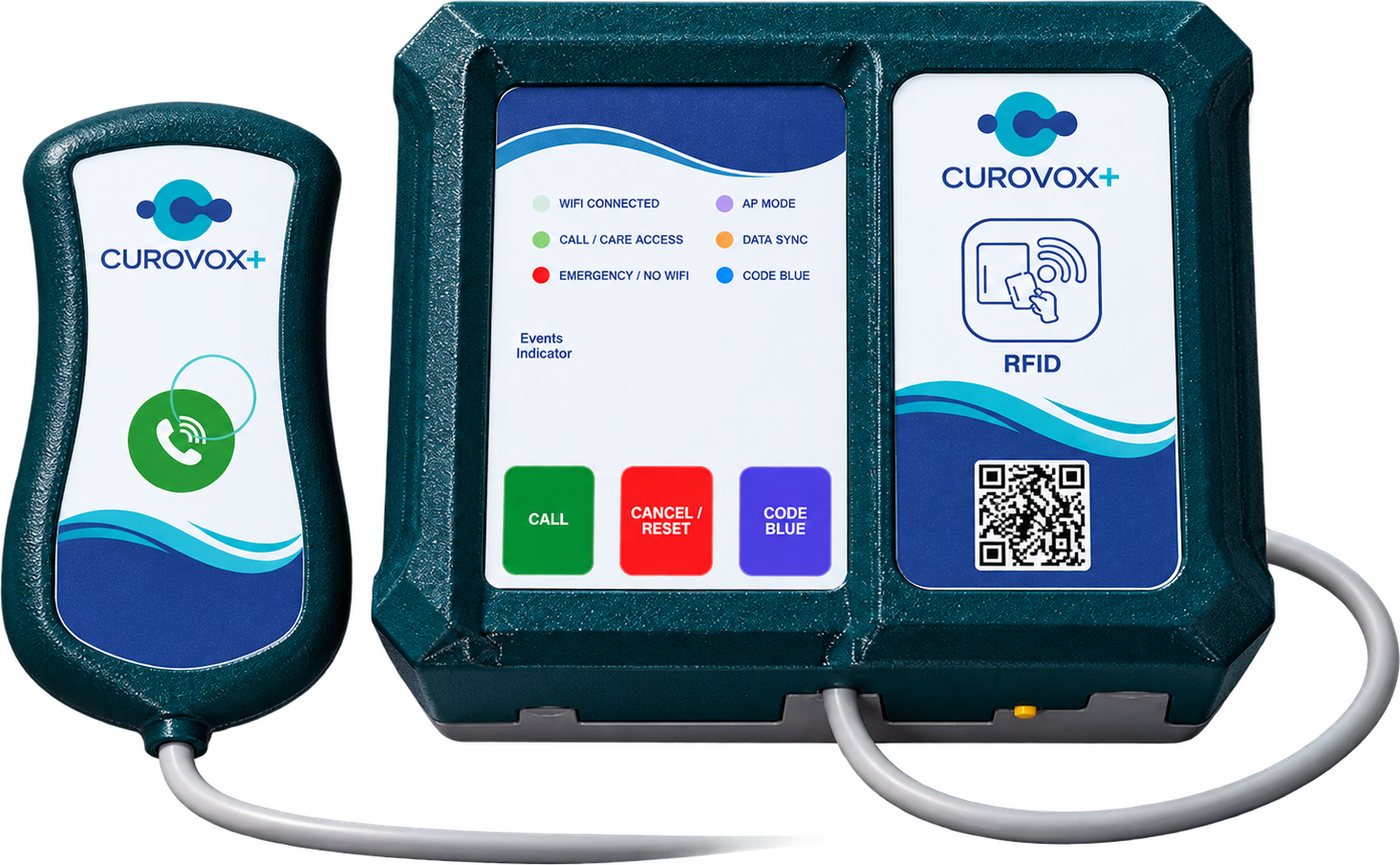
A compact handheld call button stays within reach. A press sends the patient’s request to the larger room device.
Handheld call button
 Chat with us

CUROVOX+ / CONNECTED CARE
Loading product images and care scenes
RFID-BASED PATIENT CALL SYSTEM
From the bedside to your care team.
One button connects a patient’s request to a room alert and your care application.
Care comes full circle.
A caregiver’s RFID card confirms the response.
SEE THE CONNECTION
The device at the bedside. The call at the nurse station. The confirmation in the patient’s room.
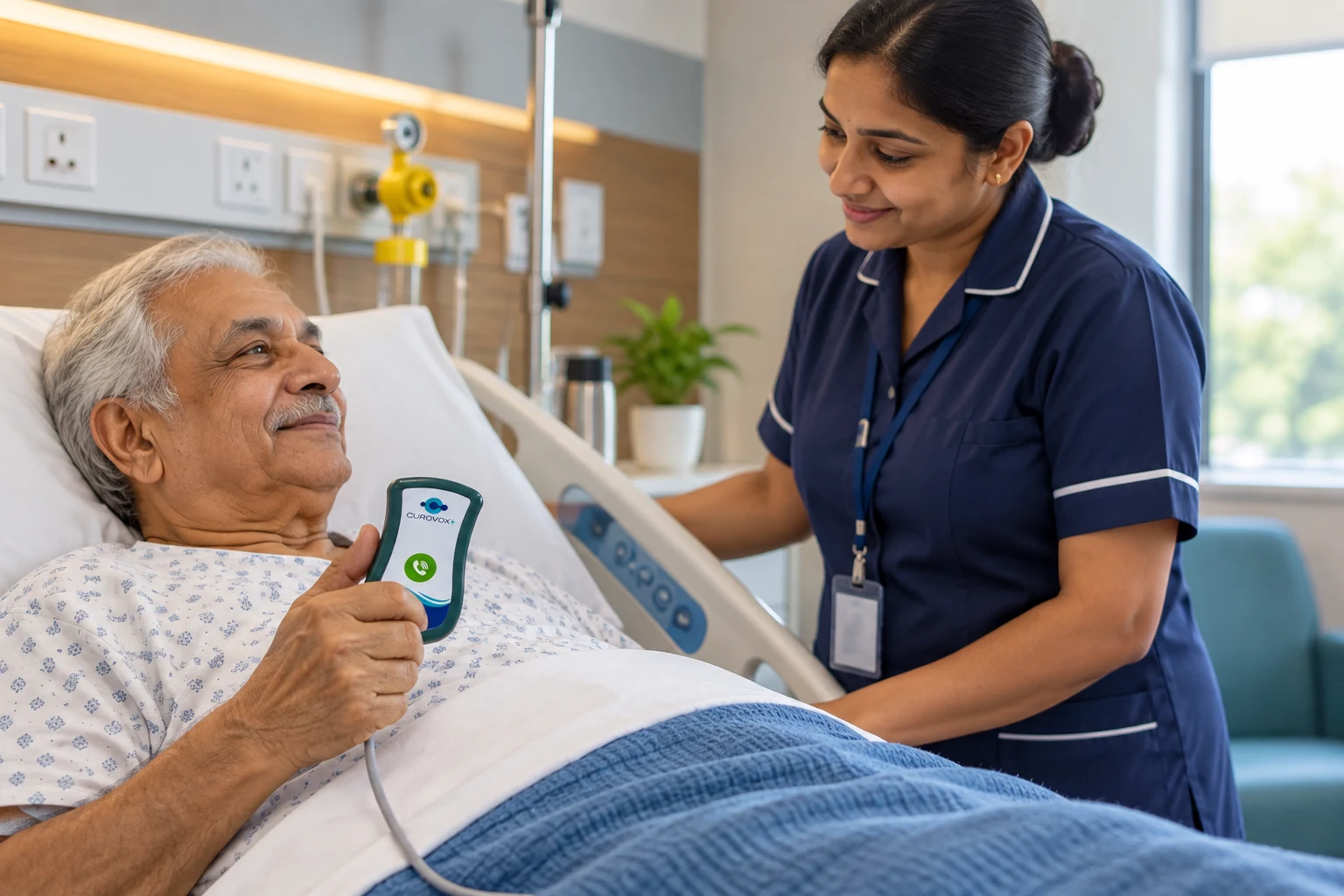
The bedside call button starts the request.
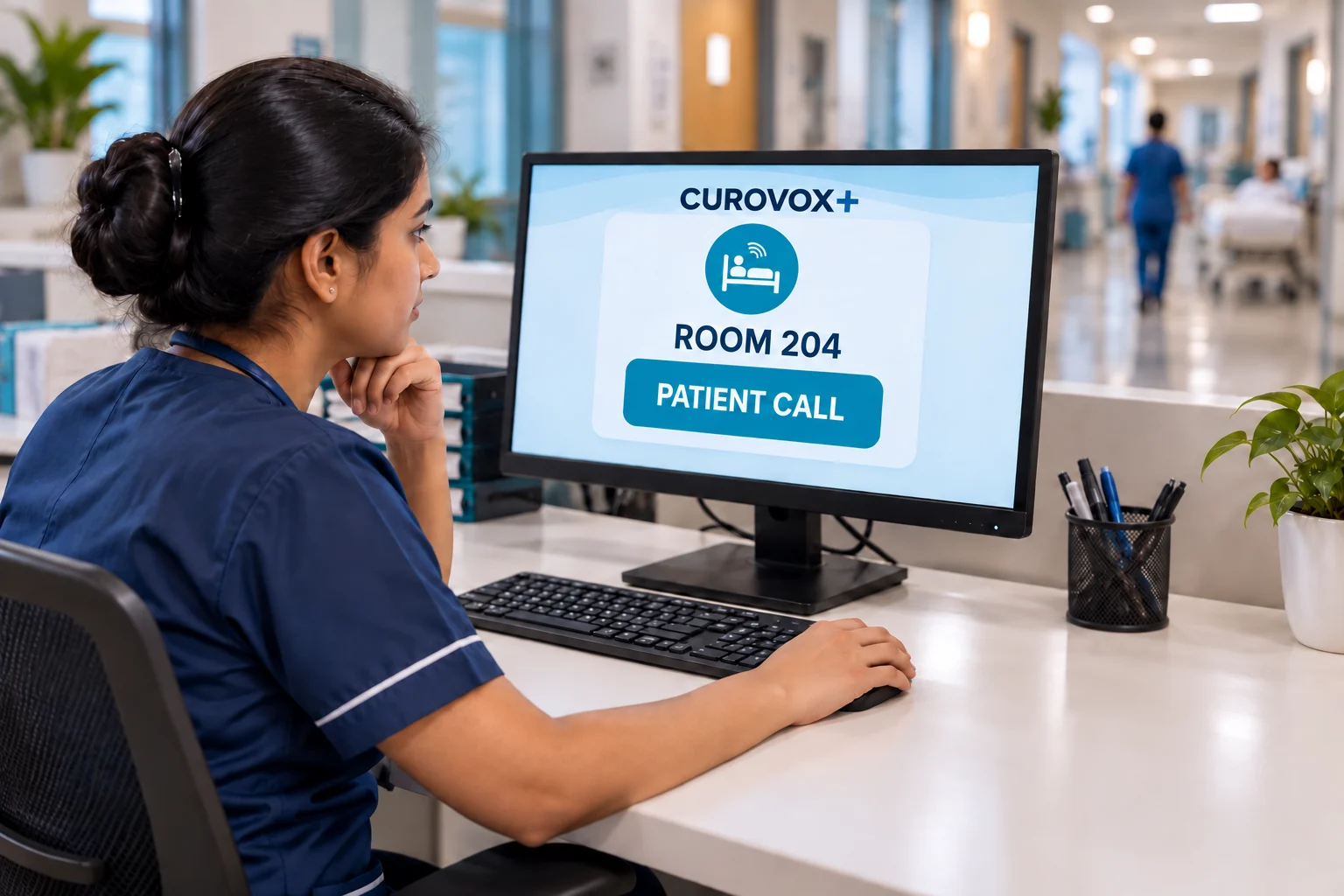
The care application brings the request into view.
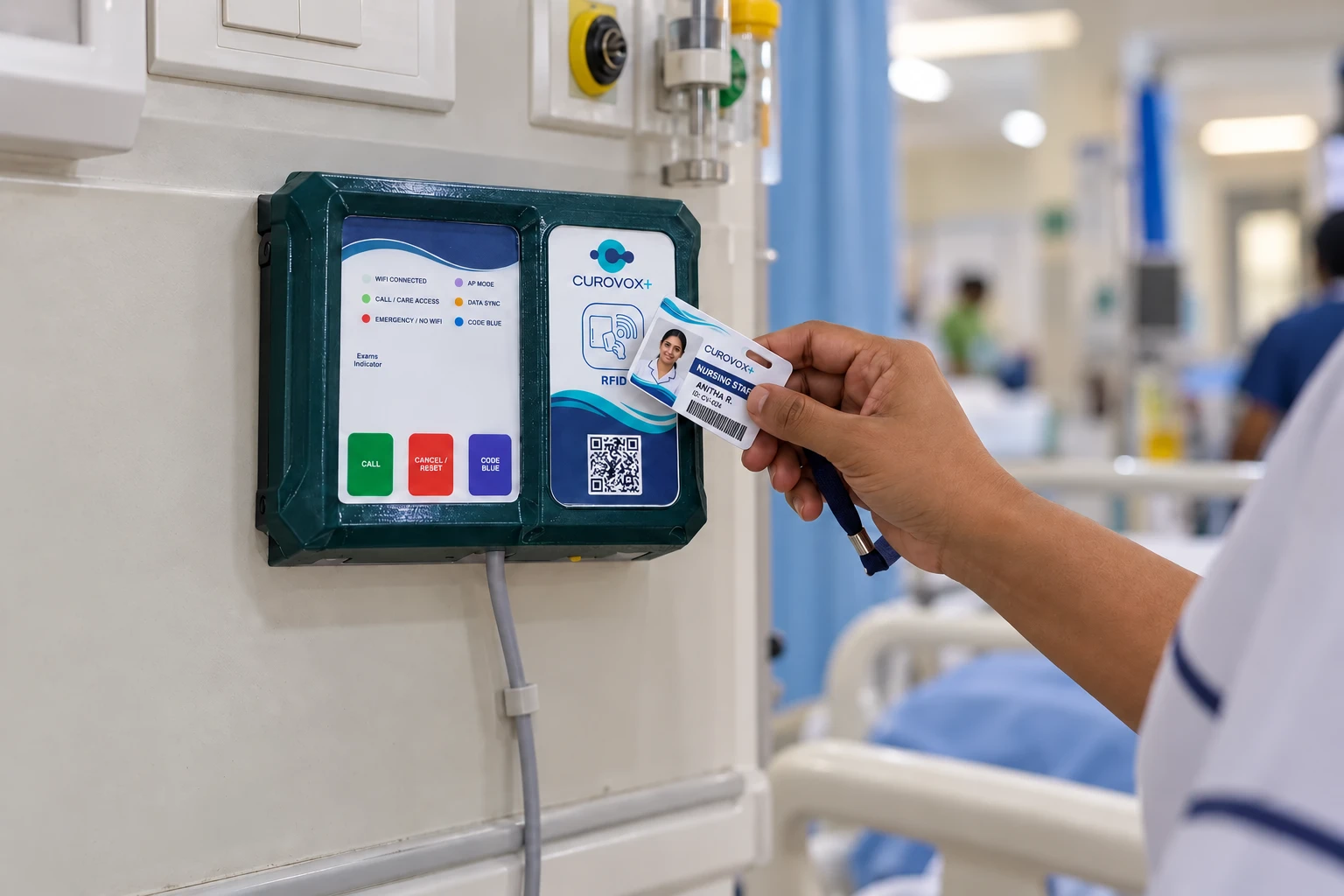
The RFID card tap closes the active call.
THE SYSTEM
A familiar bedside action starts a connected response. The call remains active until a caregiver visits the patient and presents their RFID card at the room device.
A compact handheld call button stays within reach. A press sends the patient’s request to the larger room device.
The room unit alerts and the care application receives the call, helping the team identify the room that needs attention.
After checking the patient in the room, the caregiver holds their card near the device. The active alert stops.
TECHNOLOGY WITH A HUMAN PURPOSE
When a patient needs assistance, finding a way to ask should be straightforward. CUROVOX+ brings the call button, the room alert and the care application into one understandable workflow.
A small device the patient can hold and press.
The request is reflected at the room device and in the application.
An RFID card tap clears the alert after the caregiver checks the room.
FROM THE ROOM TO THE TEAM
A patient call is useful when the care team knows where attention is needed. The application side of the CUROVOX+ workflow carries the room request through to the response.
Identify the room.
Bring the location of the request into view.
Keep the call active.
The alert stays part of the workflow while the caregiver attends.
Complete at the device.
RFID confirmation follows the in-room patient check.
The patient presses the button. The room unit and care application show an active call.
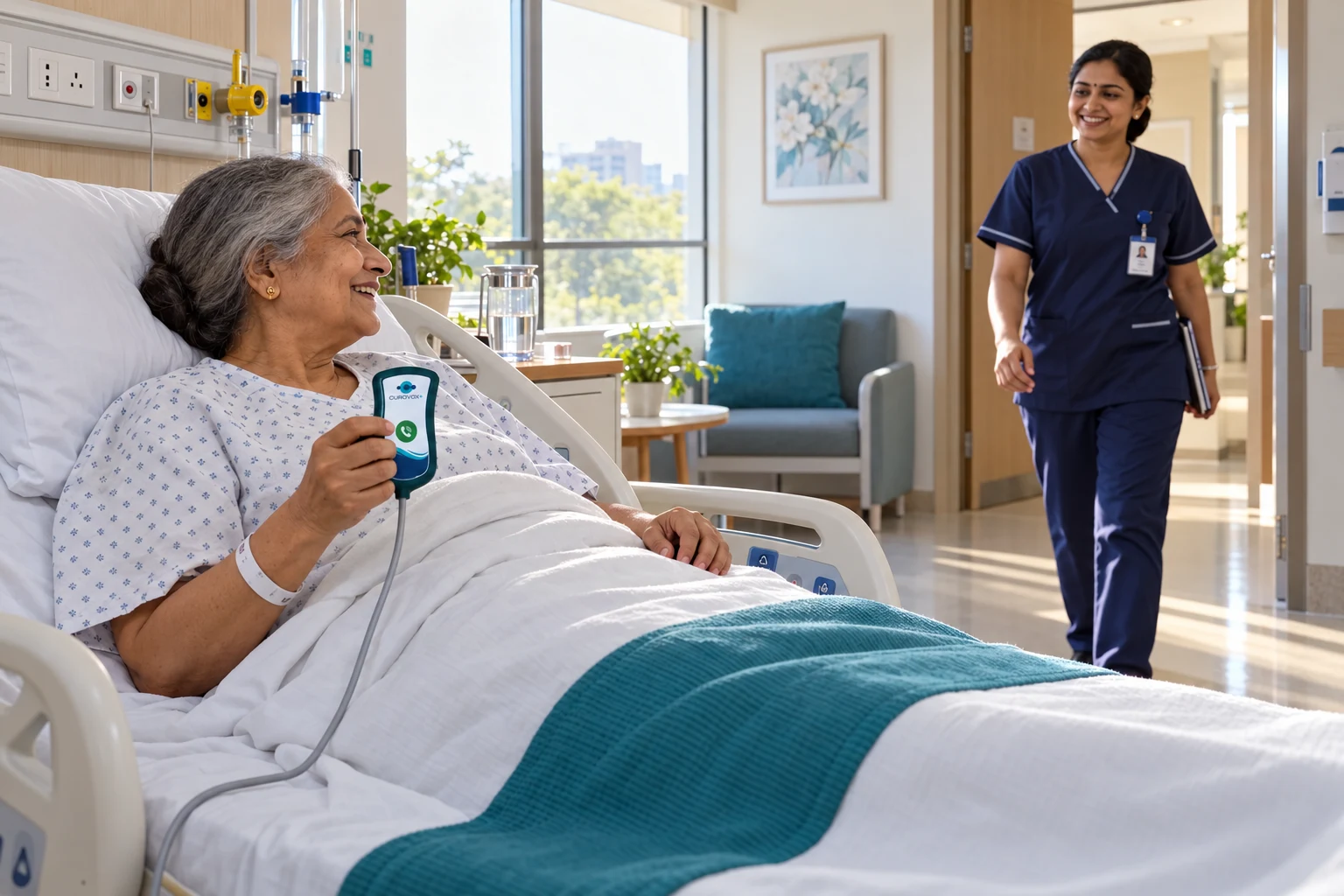 THE MOMENT BETWEEN A CALL AND CARE
DESIGNED FOR AN IN-ROOM RESPONSE
The button opens the care loop. The caregiver is the essential next step: enter the room, understand the request and check the patient before confirming at the device.
01 Patient presses the call button.
02 The room device and application alert.
03 A caregiver checks the patient in person.
04 The RFID card confirms the response.
THE CARE LOOP
A call starts the sequence. An in-room RFID confirmation completes it.
The patient presses the small handheld button in their room.
The larger device alerts, and the call appears in the care application.
A caregiver attends the room and checks the patient.
The caregiver presents their RFID card. The alert stops and the call is complete.
YOUR HANDS-ON EXPERIENCE
Press the patient button, attend the room, then present the RFID card. Watch the device and application respond together.
Your product video will appear here.
No active calls. Press the patient button to begin.
Step 1 of 4 · The system is ready for a patient call.
This is an interactive simulation. It does not send patient calls or connect to live hardware.
AT THE POINT OF CARERFID CONFIRMATION
The caregiver visits the room and checks the patient first. Presenting an RFID card at the device then stops the alert, bringing the call sequence to a clear conclusion.
Visit. Check. Confirm.
Designed around an in-room response.
TWO DEVICES. ONE WORKFLOW.
The small patient call device and the larger room controller play different roles in the same response.
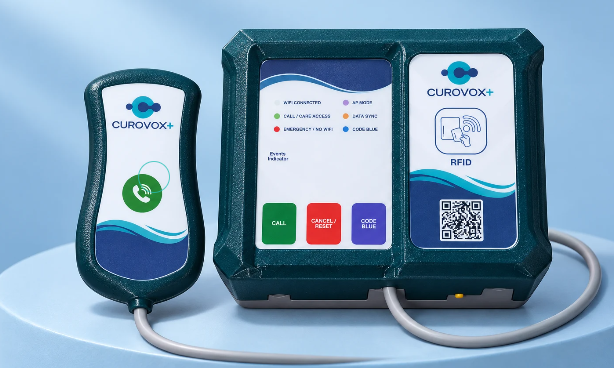 PATIENT CALL + RFID ROOM CONTROLLERCUROVOX+ / TOILET MODULE
CARE WITHIN REACH
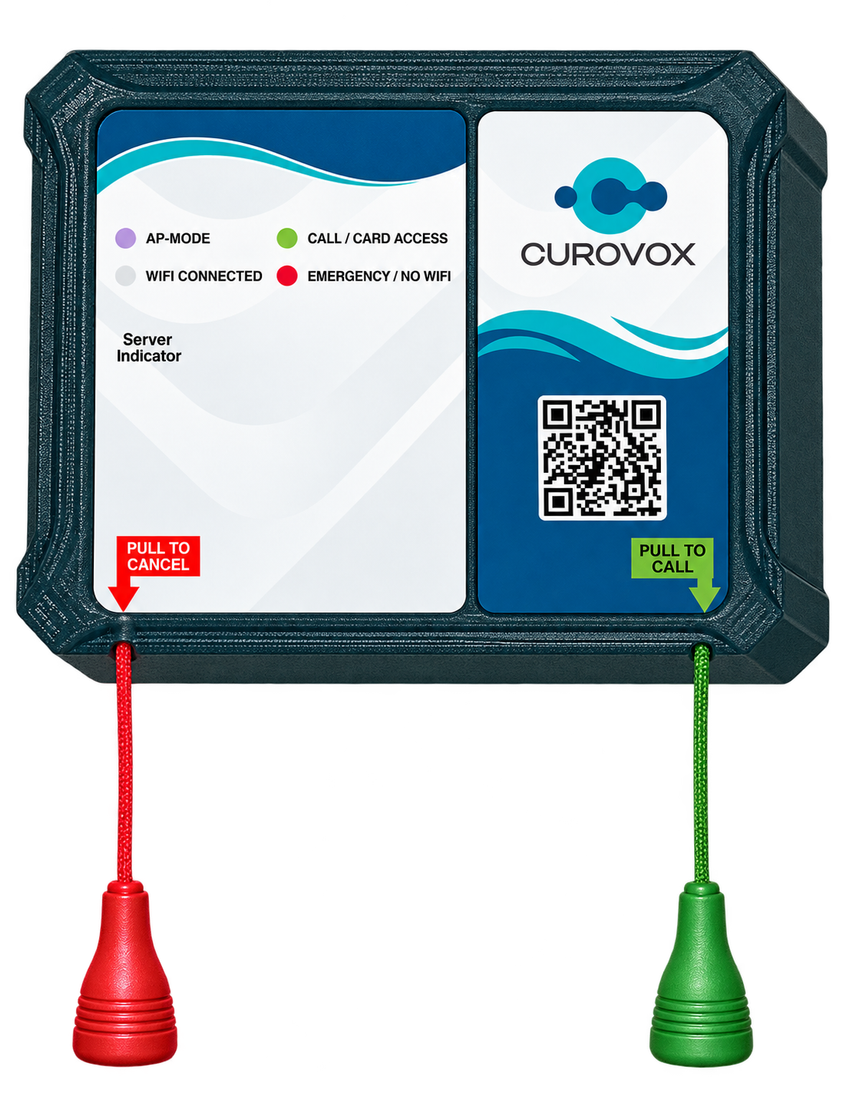
The CUROVOX+ Toilet Module brings a dedicated patient call point into the toilet area, with two clearly marked pull cords.
The green cord lets the patient request assistance.
The red cord provides the cancellation action shown on the module.
Position the pull cords where the patient can reach them and include this call point in your facility’s response workflow.
THE CUROVOX+ APPLICATION
See the supplied application screens: room controls, active alerts and call reports. The summary brings bed and toilet calls, emergency calls, code blue, cancellations and acknowledgements into one view.
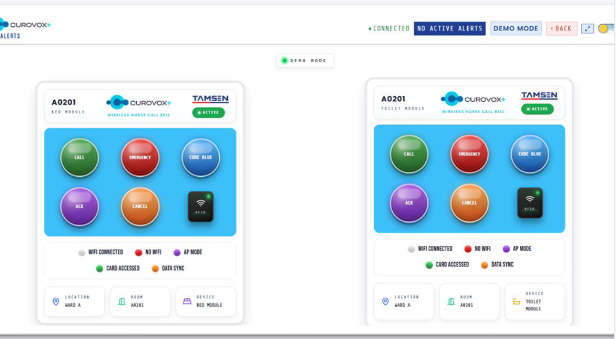
Room and location labels sit alongside the bed and toilet module controls.
Open image to view full size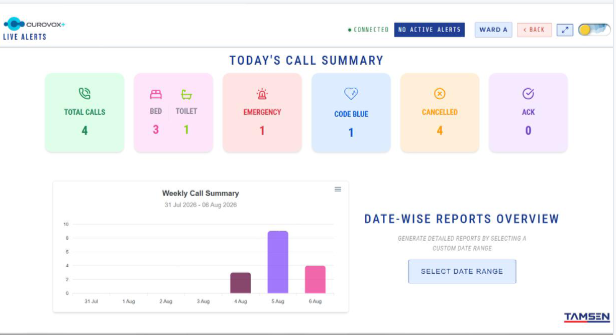
Daily counts, a weekly chart and date-range reporting help review call activity.
Open image to view full size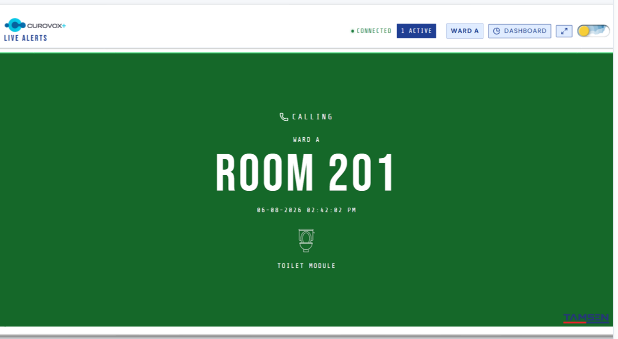
The alert identifies the room, ward and toilet module that needs attention.
Open image to view full size
The application returns to its idle screen when there are no active alerts.
Open image to view full sizeCONNECTED CARE, IN DIFFERENT PLACES
Explore illustrative CUROVOX+ care settings, from patient rooms to home care and rehabilitation.
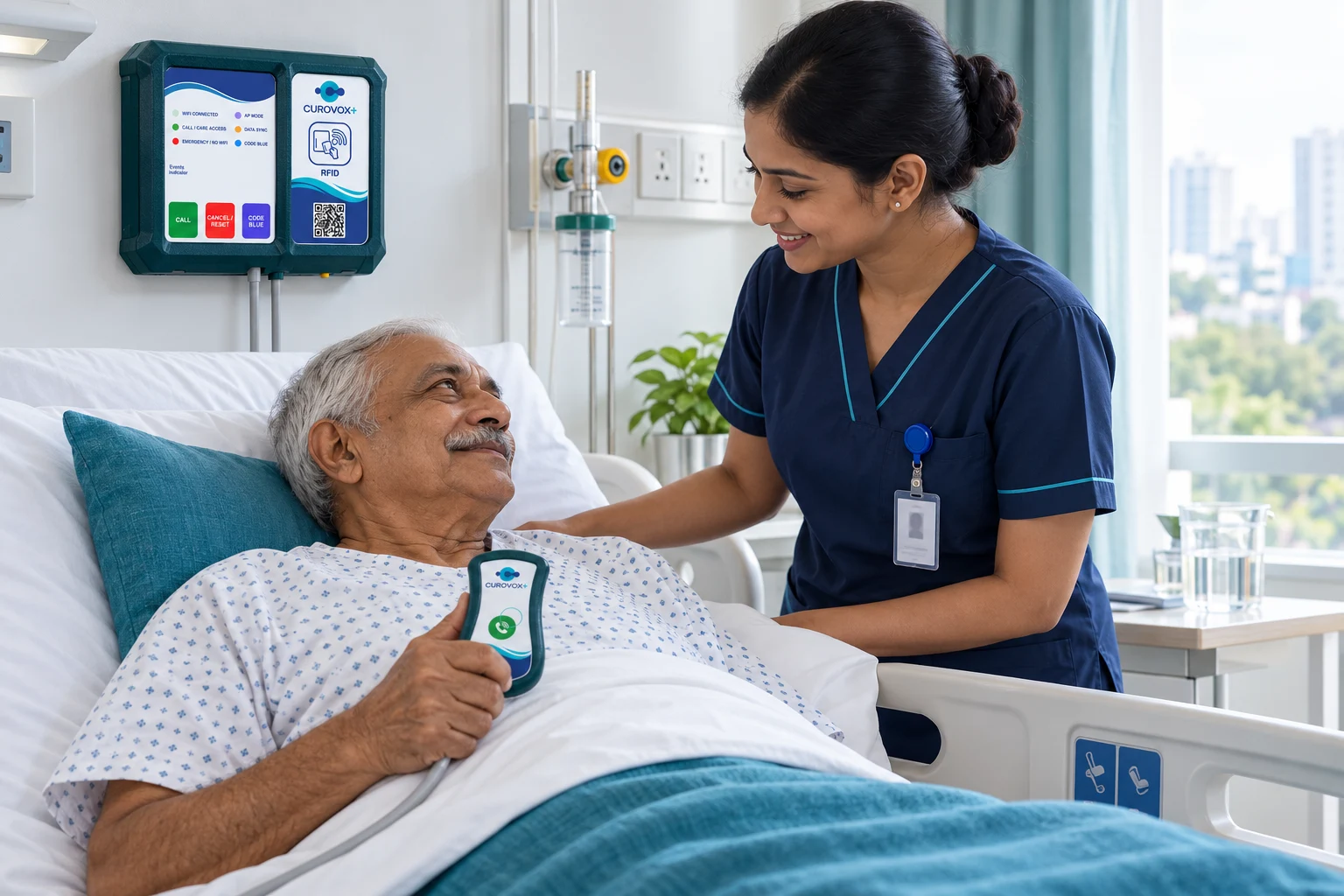
A bedside call point connects the patient’s request to the care team.
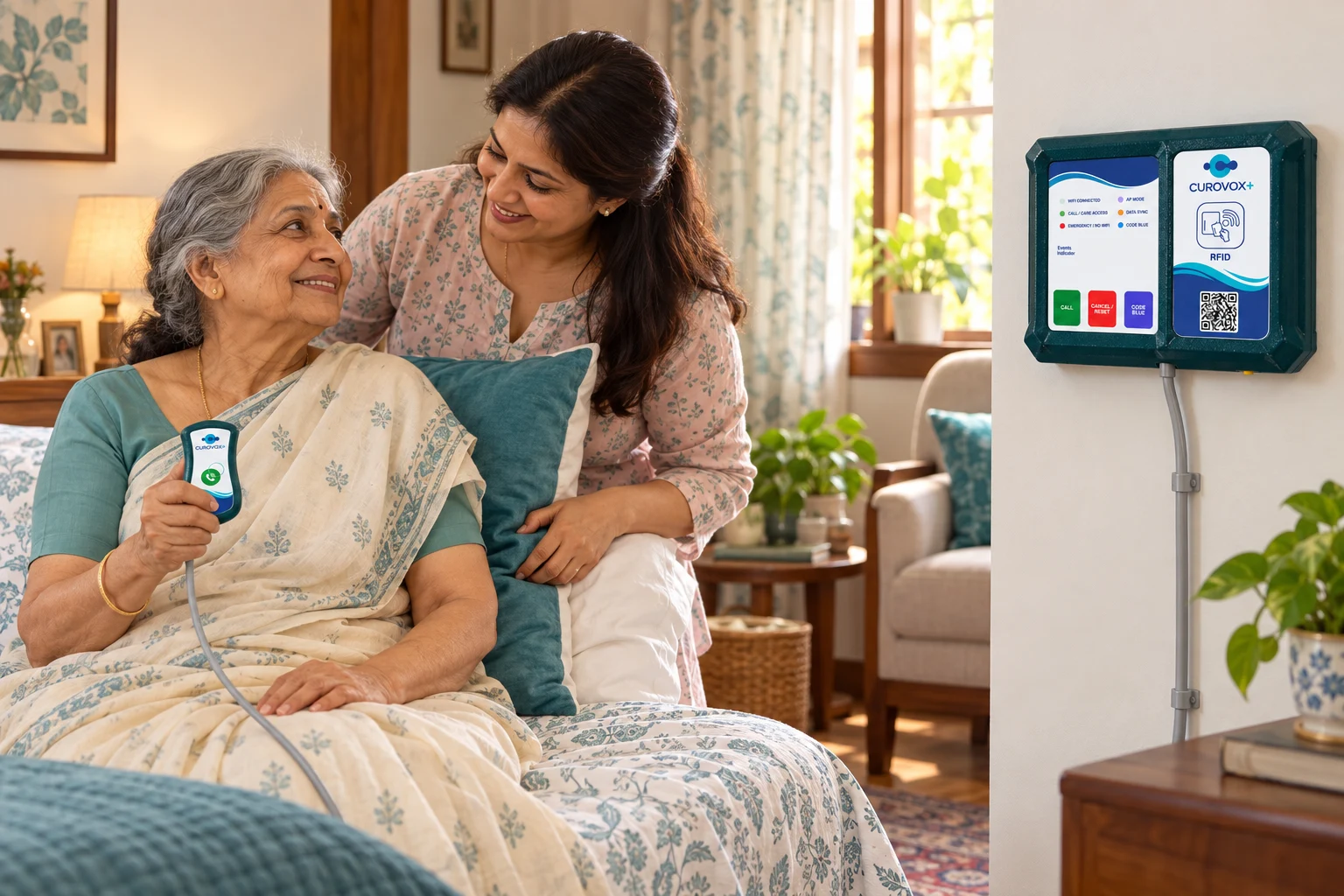
A familiar space, with a call button close to the person receiving care.
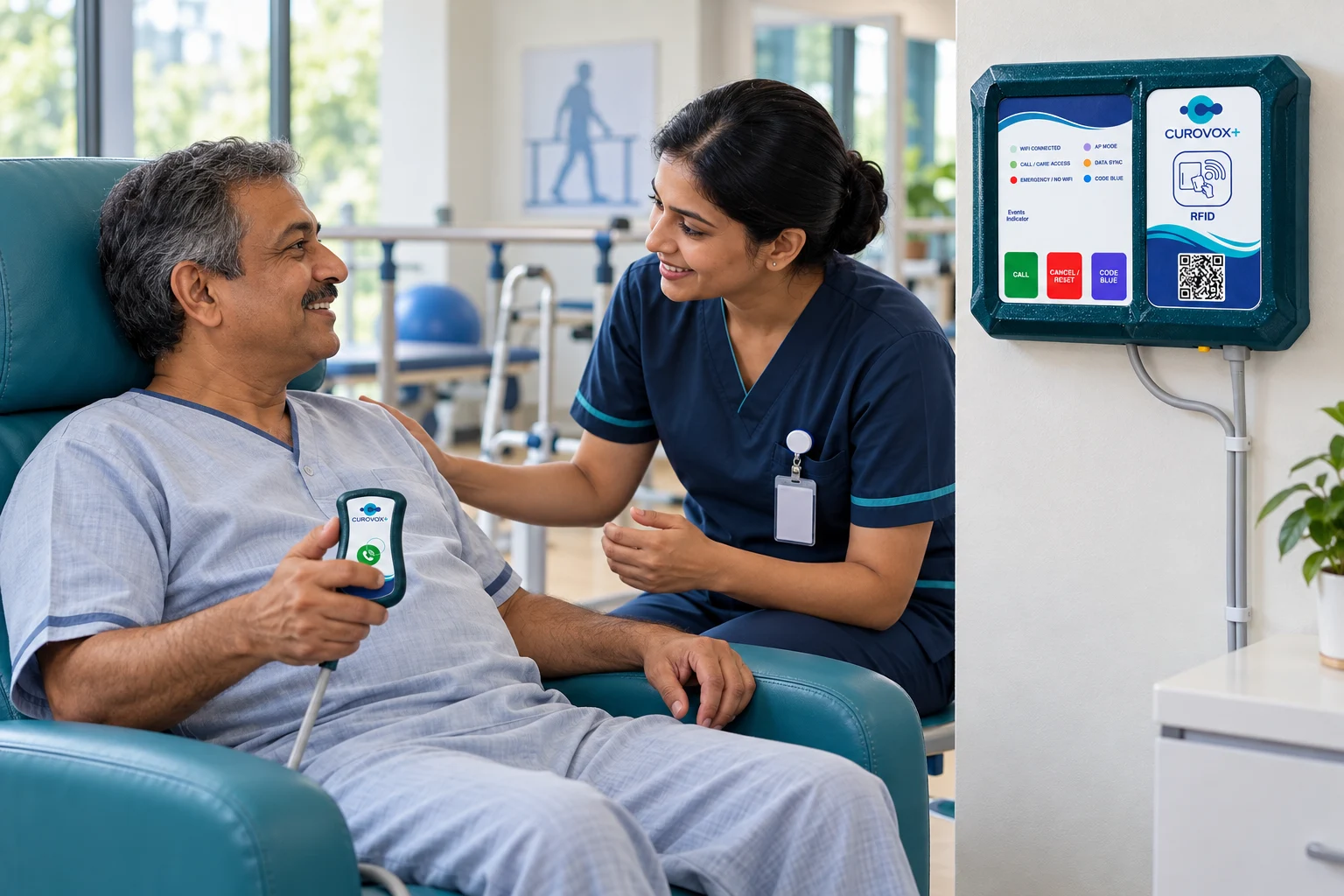
Keep the call point accessible while patients rest and recover.
AI-generated illustrations of potential care settings. Installation and response arrangements depend on the care environment.
WHAT EACH PART BRINGS TO THE RESPONSE
Each part of the system has a distinct job. Together, they make the patient request and the caregiver response easier to follow.
A compact physical control for initiating a call. The patient does not need to navigate an application to start the workflow.
The larger device provides the local alert and the card-reading point that completes the call after care is provided.
The software view reflects the patient request and its room, bringing the call into the care team’s workflow.
RFID provides a simple confirmation action at the room device after the patient has been checked.
THINK THROUGH YOUR CARE WORKFLOW
A useful installation starts with the way your facility responds to patient calls. These are the practical details to review when planning the system.
Decide where the handheld button will remain accessible to the patient and how its cable will be routed.
Align room names and numbers with the labels the care team uses in the application.
Agree who receives the call and how the caregiver attends, checks the patient and confirms the visit.
Test the bedside press, room alert, application notification and RFID clearing step together.
A LITTLE MORE CLARITY
The small bedside device starts a call. The larger room unit alerts and the care application receives the room’s request.
After checking the patient, the caregiver presents their RFID card near the room device. That confirmation stops the alert.
The workflow described here uses an RFID card at the device to complete the call. In the demonstration, confirming a visit keeps the alert active until the card step is completed.
No. It is a website simulation of the call and confirmation workflow. Live alerts require the actual device and application integration.
Yes. The product view, workflow and interactive demonstration are designed for both touchscreens and desktop browsers.